Best CRM for Clinics and Healthcare Networks in the US
Powering millions of patient journeys every year





Revenue growth
Increase in referral conversions
Surge in responsiveness
US clinics, hospitals, specialty practices, and behavioral health organizations handle a constant flow of patient inquiries, referrals, and appointment requests.
When these inquiries arrive through multiple channels and land in disconnected systems, patients can fall through the cracks, and staff spend time chasing additional information.
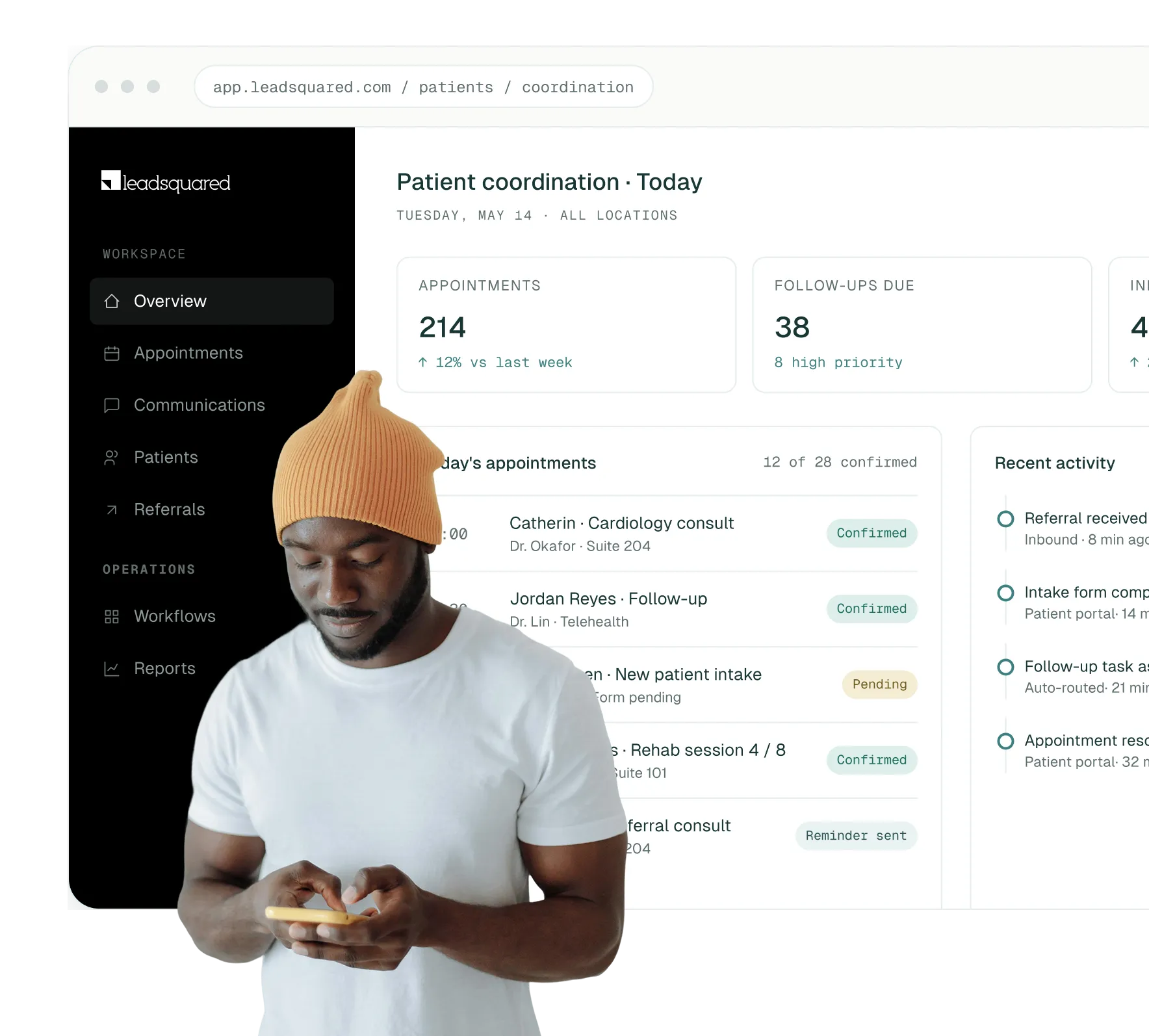
LeadSquared gives healthcare organizations a single platform to capture inquiries, manage referral workflows, automate follow-ups, and track patient interactions from first contact through intake.
This helps teams stay organized while providing patients with a faster, more consistent experience.
By centralizing patient interactions and automating communication, healthcare organizations can improve response times and maintain better visibility into patient engagement.

Reduce response times to new patient inquiries and referrals

Increase intake and referral conversion rates with automated follow-up sequences

Give practice managers and coordinators full pipeline visibility

Reduce manual data entry and administrative workload for front-desk teams

Maintain HIPAA-compliant records, communication logs, and audit trails
Running a medical practice or health network in the US means managing clinical care and complex operational demands at the same time. Most practices are doing this without the right tools, which creates gaps that cost them patients, revenue, and staff time.

High volumes of patient inquiries arriving through multiple disconnected channels

Slow or inconsistent follow-up with new patients and referral partners

No centralized view of where each patient is in the intake or scheduling process

Staff relying on spreadsheets, personal inboxes, or phone logs to track outreach

Difficulty measuring which referral sources and marketing channels are driving appointments
No-show rates that are hard to reduce without automated reminder workflows
A healthcare CRM built for US practices resolves these challenges by centralizing every patient touchpoint, automating time-consuming manual tasks, and giving leadership the data they need to make faster, smarter operational decisions.
Patient inquiries don’t arrive on a schedule. They come in at all hours through multiple channels and expect a fast response.
Without a structured system, front-desk teams and patient coordinators end up stretched thin, manually tracking follow-ups and losing prospective patients to practices that respond first.
LeadSquared helps US healthcare teams manage the entire patient intake pipeline in one place, so no inquiry goes unanswered and no referral goes untracked.
Below are some of the key ways LeadSquared helps healthcare organizations manage patient engagement and operational workflows more effectively.
Stage 01
New patient inquiries can come from many sources, including search engines, physician referrals, insurance directories, and personal recommendations. LeadSquared captures these inquiries automatically and organizes them in one system.
Each inquiry is routed to the right coordinator based on clinic, service line, or location, so teams can respond faster and manage patient intake more efficiently.
Stage 02
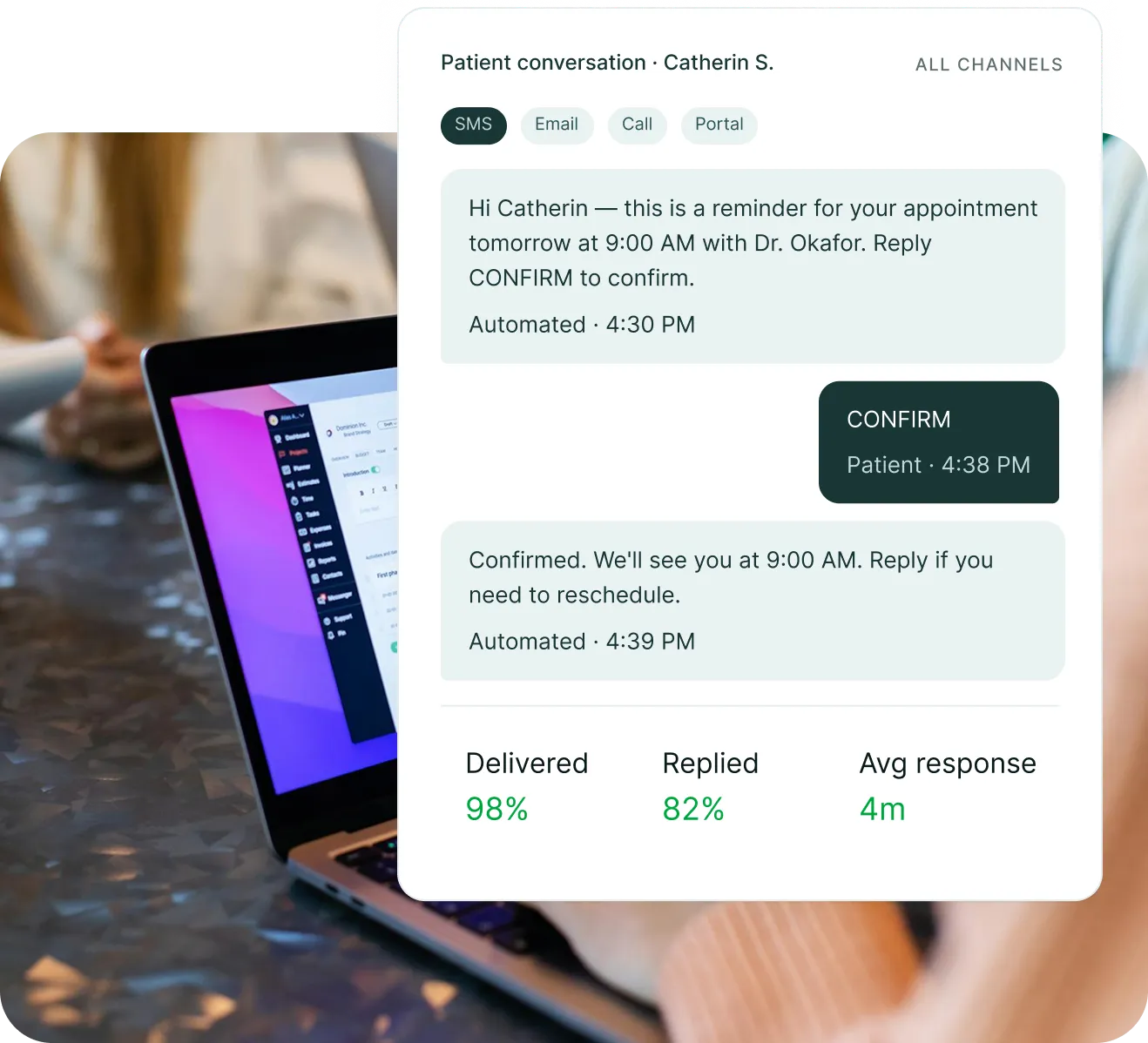
Missing a follow-up in healthcare doesn’t just cost a conversion; it can delay someone’s care. You can build automated sequences that trigger the moment a referral lands or a patient books, so the right message goes out at the right time without anyone having to manually schedule it.
Stage 03
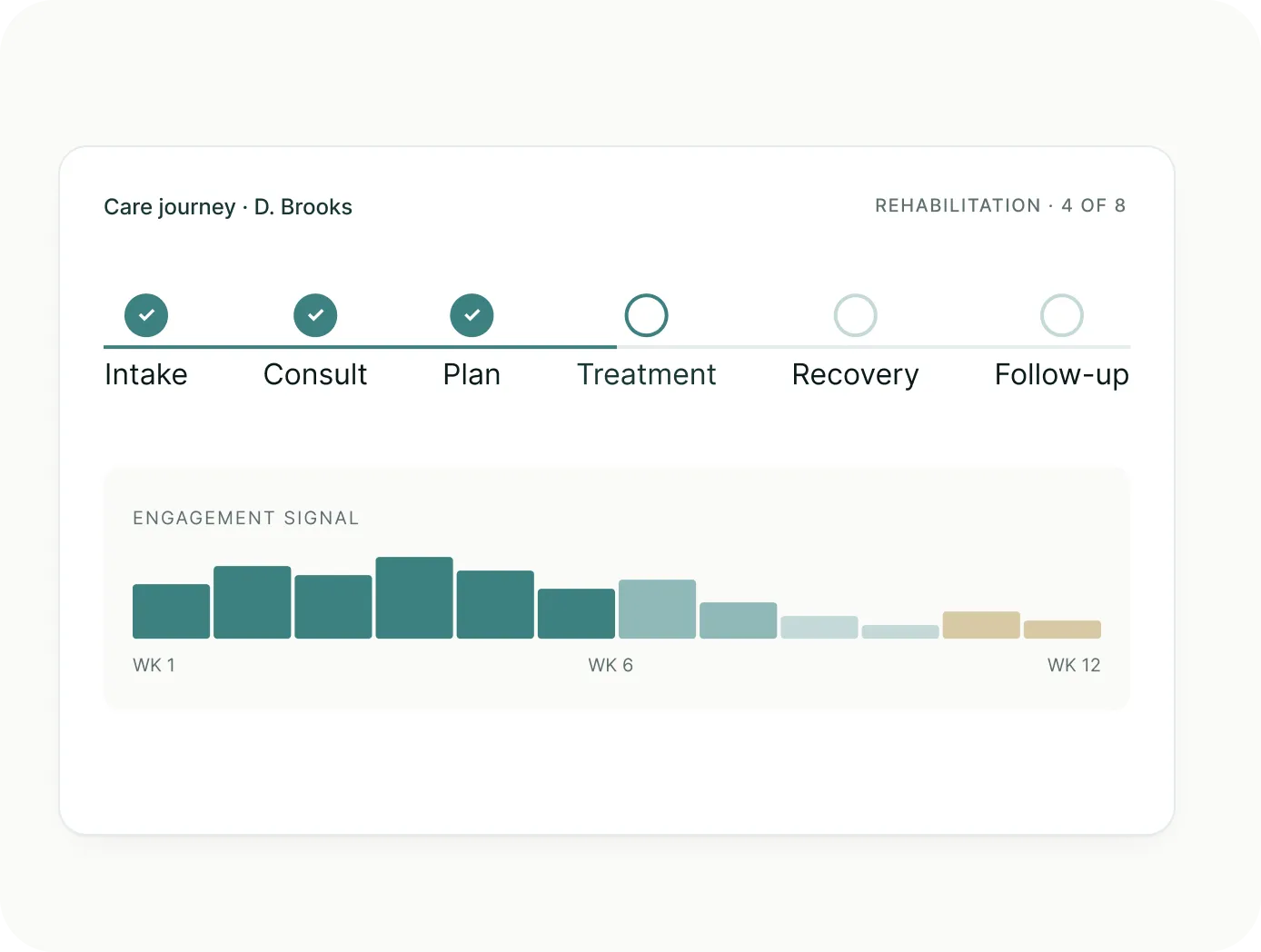
LeadSquared ties every interaction, like calls, texts, emails, portal activity, and referral notes, into one patient record, so whoever picks up the phone next walks into that conversation already knowing the story.
Stage 04
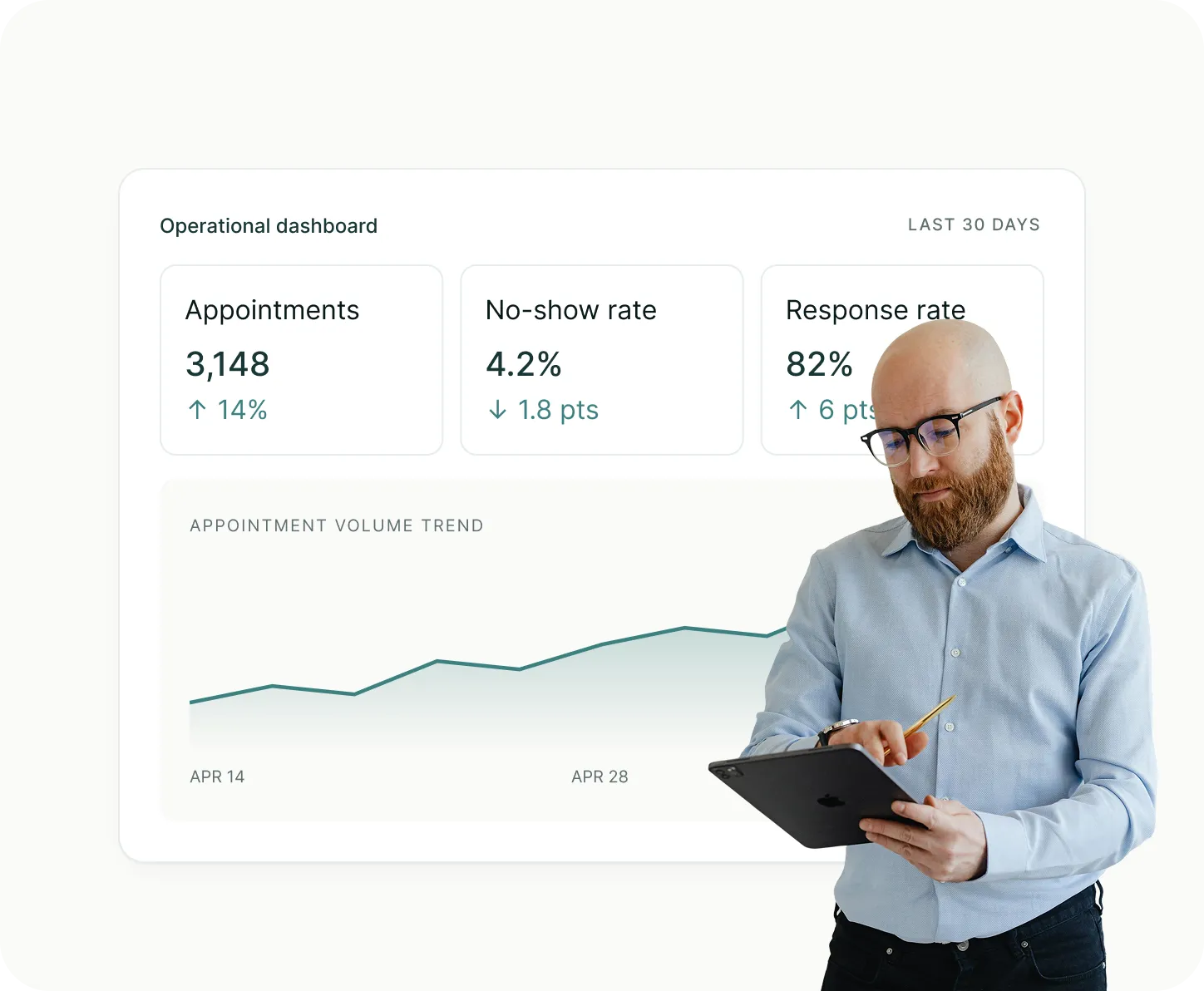
LeadSquared gives practice managers and operations leads a real-time view of which referral sources are converting, which service lines have the longest intake delays, and where coordinators are spending the most time.
Running a medical practice means your team is pulled in multiple directions at once. They manage clinical care, patient communication, referrals, compliance, and scheduling. The last thing they need is a healthcare CRM that adds complexity instead of removing it.
Here’s what LeadSquared puts in your team’s hands from day one.

Capture and organize patient inquiries from every channel automatically.

Trigger follow-ups, reminders, and appointment communications without manual effort.

Monitor every interaction from first inquiry through intake and beyond.

Real-time dashboards to track team performance, referral pipelines, and no-show rates.

Sync patient data seamlessly with your existing electronic health records system.

Every call, email, and text is recorded against the patient’s profile, so your whole team stays on the same page.

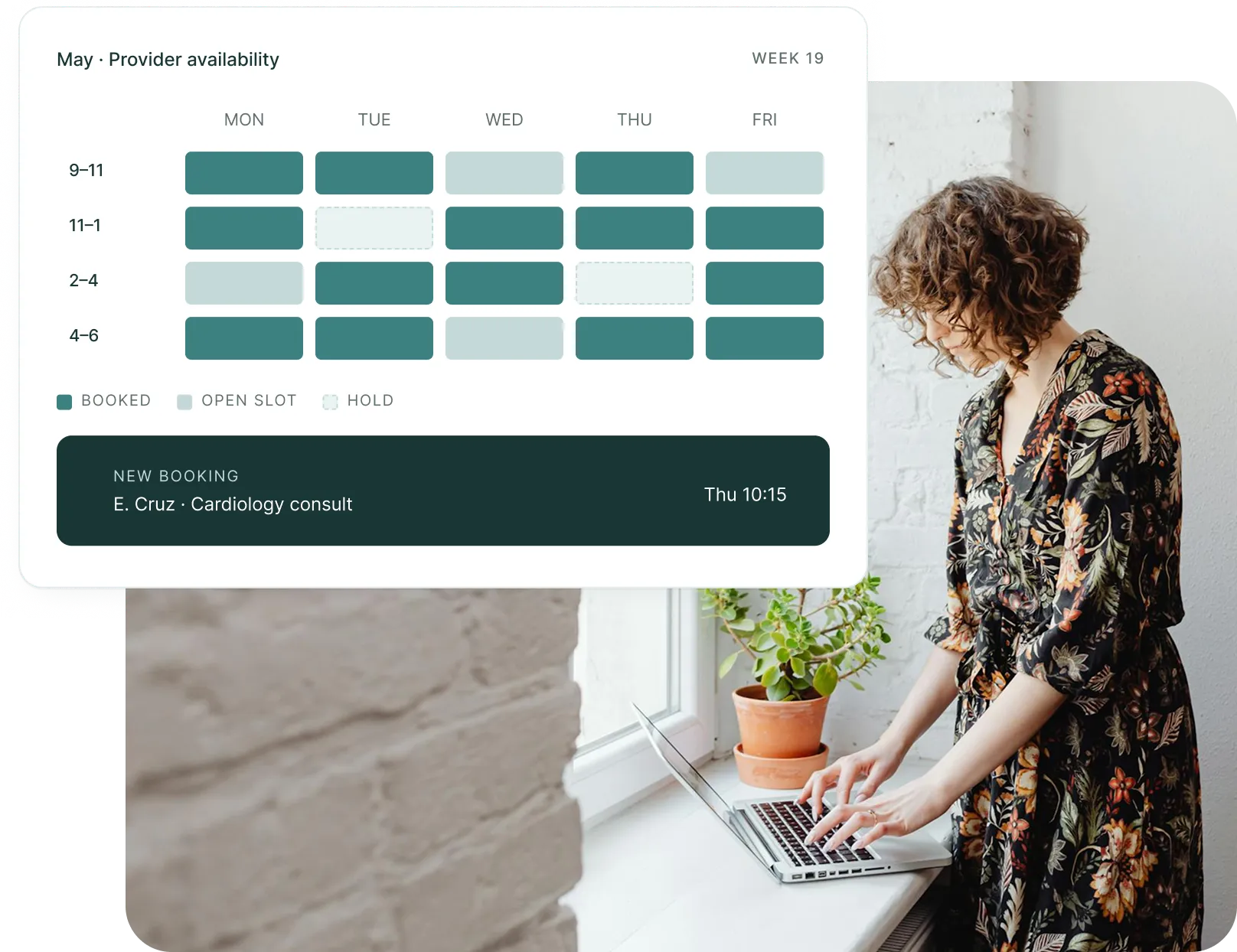
Manage appointments, provider calendars, and patient bookings from one centralized system. Reduce conflicts, keep staff informed, and make it easier for patients to book appointments online with real-time scheduling.
Under HIPAA, US healthcare organizations have a legal obligation to safeguard all patient information, control who can access it, and maintain a clear audit trail of its use.
A healthcare CRM that sits at the center of your intake and communication workflows has to be built with that responsibility in mind.
Here’s how LeadSquared supports that obligation across your organization:


Your EHR, practice management system, billing platform, and the scheduling tool your front desk has relied on for years are not going anywhere.
So a healthcare CRM that forces you to replace all of that creates more disruption than it solves.
LeadSquared is built to sit alongside your existing clinical and operational stack, connecting to the tools your team already knows, so adoption is fast, and the learning curve is short.
Here’s what you can connect from day one:

Sync patient data bidirectionally with platforms like Athena, AdvancedMD, and others

Connect scheduling, billing, and patient records

Google Ads, Meta, and email marketing tools

VoIP dialers, SMS providers, and email clients

Custom-built or third-party self-service portals

Connect your BI tools to LeadSquared reporting data
Whether your team runs on Athena, AdvancedMD, or a custom-built patient portal, LeadSquared connects without the need for expensive IT work or outside developers.
LeadSquared CRM for the healthcare industry is designed for organizations that need to coordinate patient interactions, referrals, appointment scheduling, and follow-up activities across multiple teams and locations. Because every healthcare organization operates differently, the platform can be customized to support a wide range of clinical and administrative workflows.




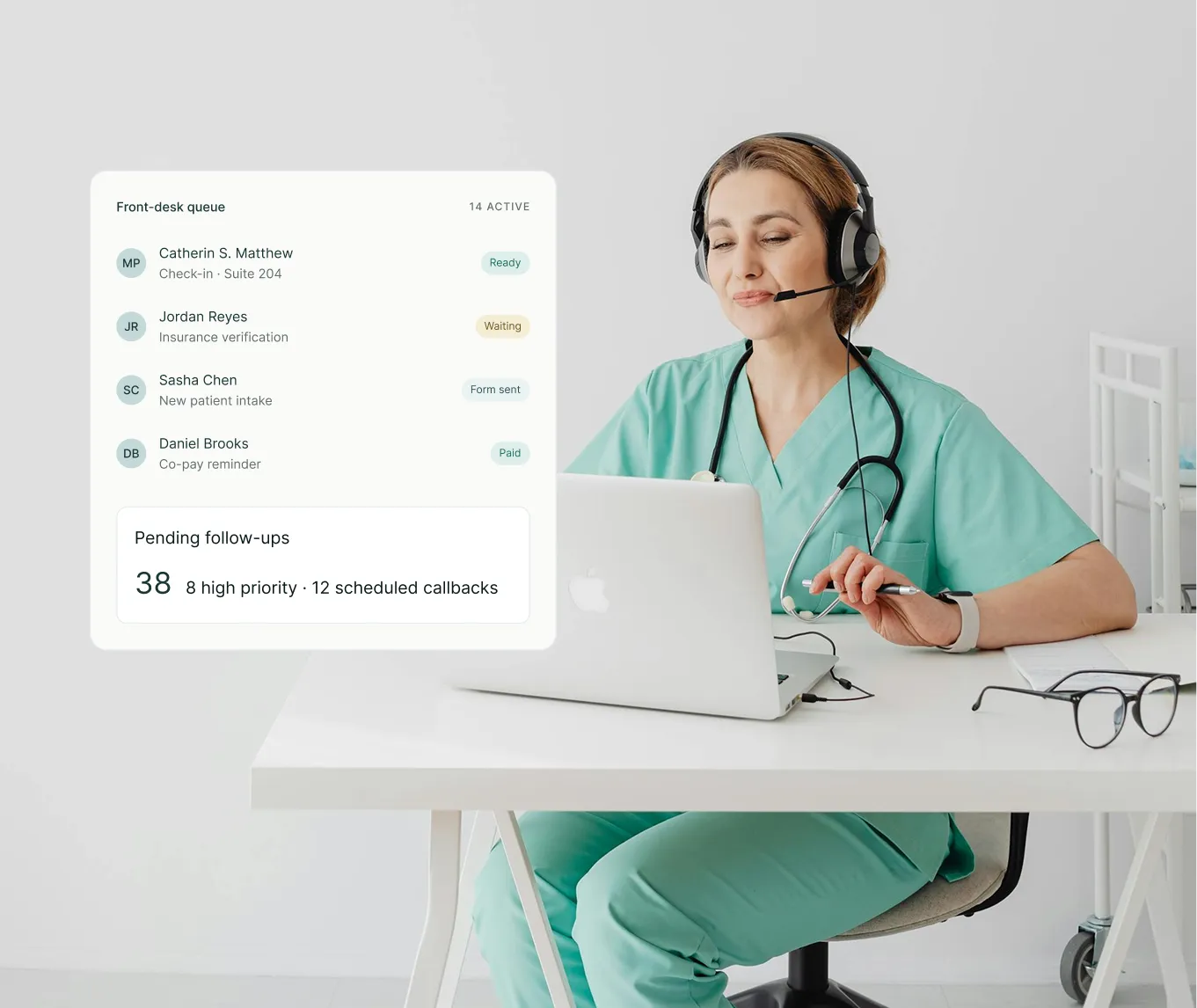
LeadSquared’s modern CRM for medical clinics gives administrative staff a centralized workspace to manage everything they need in day-to-day operations in one place: appointments, patient communication, and follow-ups.
Key benefits
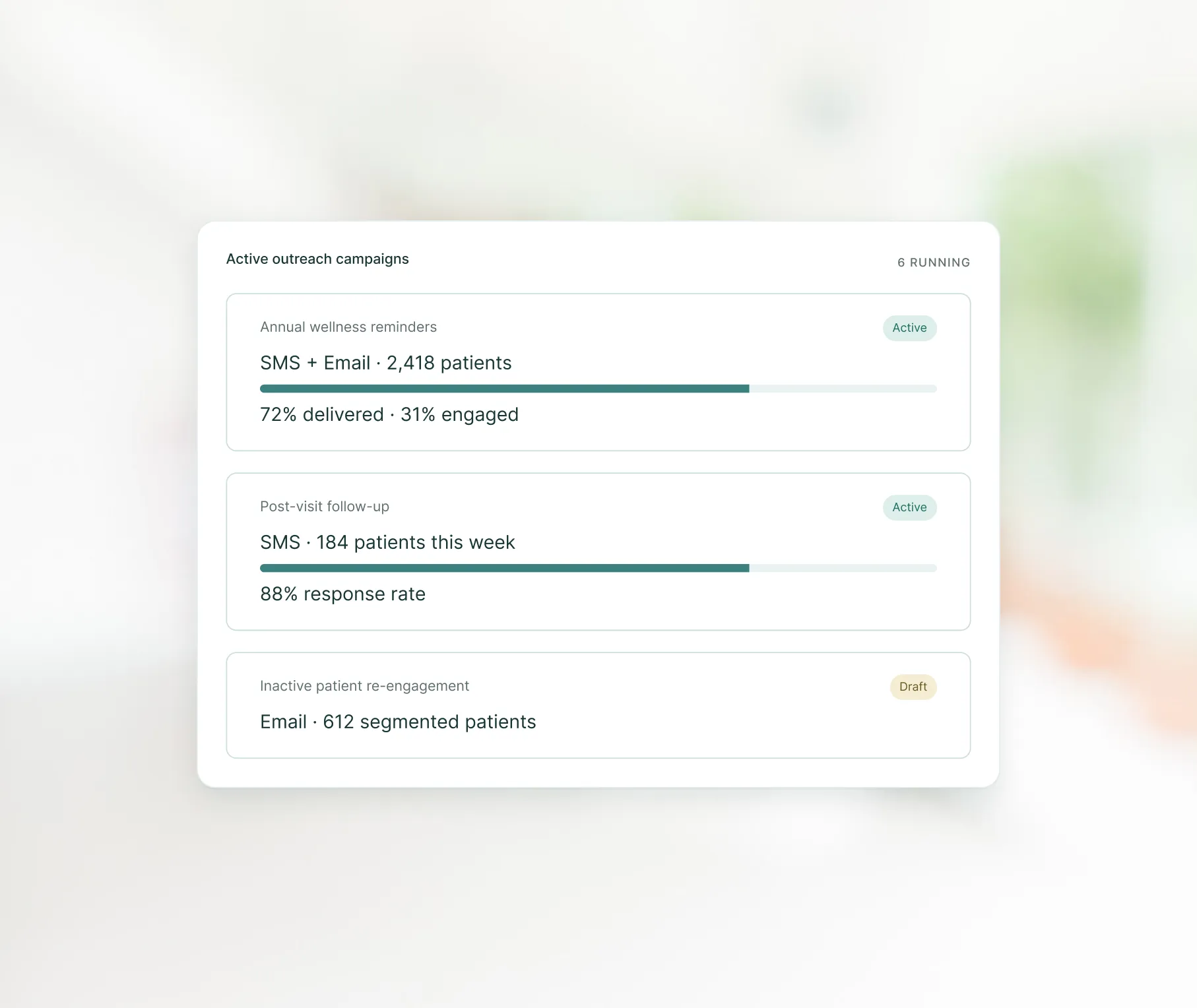
Marketing and outreach teams use LeadSquared healthcare CRM to organize patient outreach, automate reminders, and deliver personalized communication that improves engagement throughout the patient journey.
Key benefits
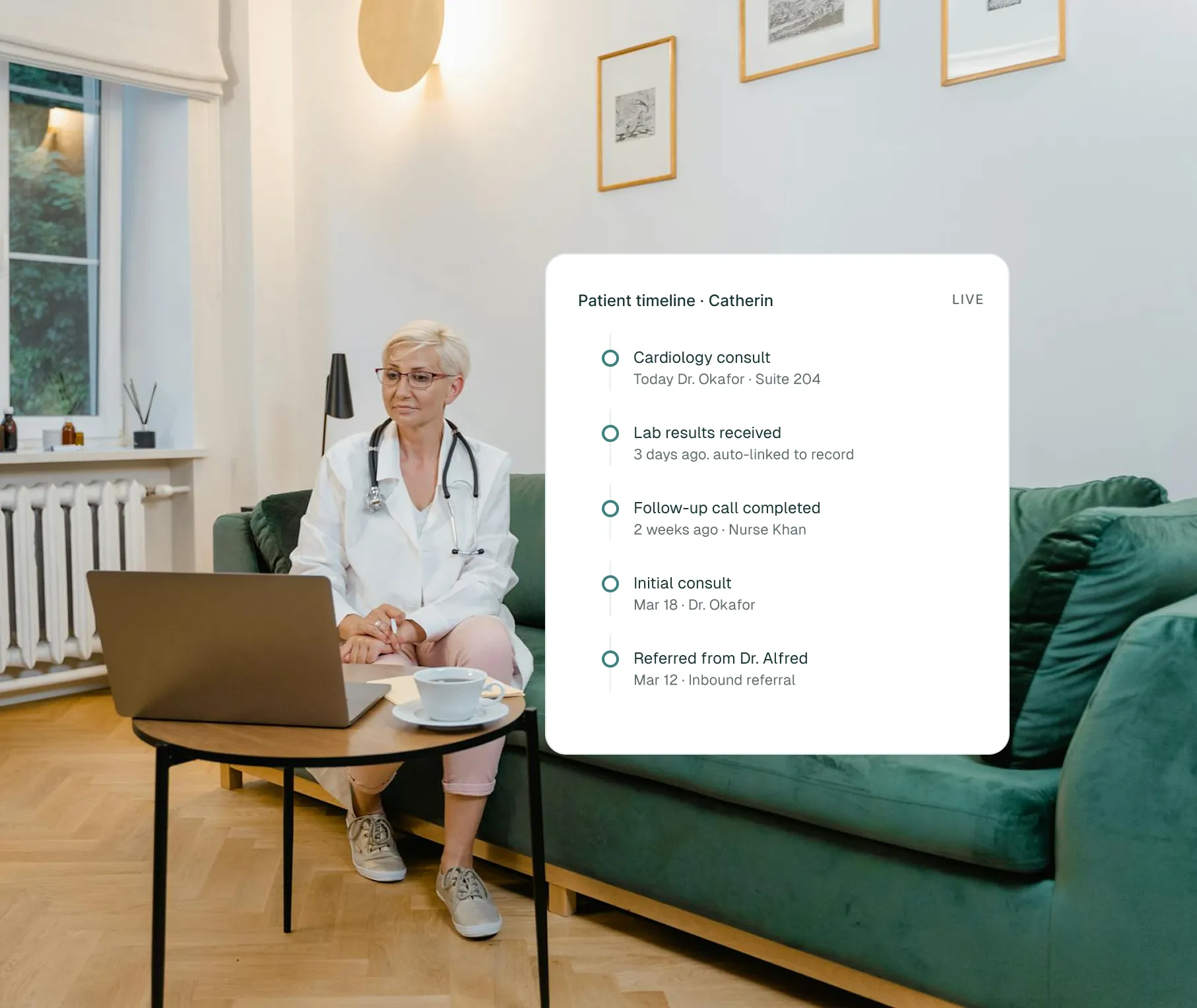
Physicians, nurses, and patient coordinators can access a complete view of patient interactions and deliver more connected and efficient care.
Key benefits
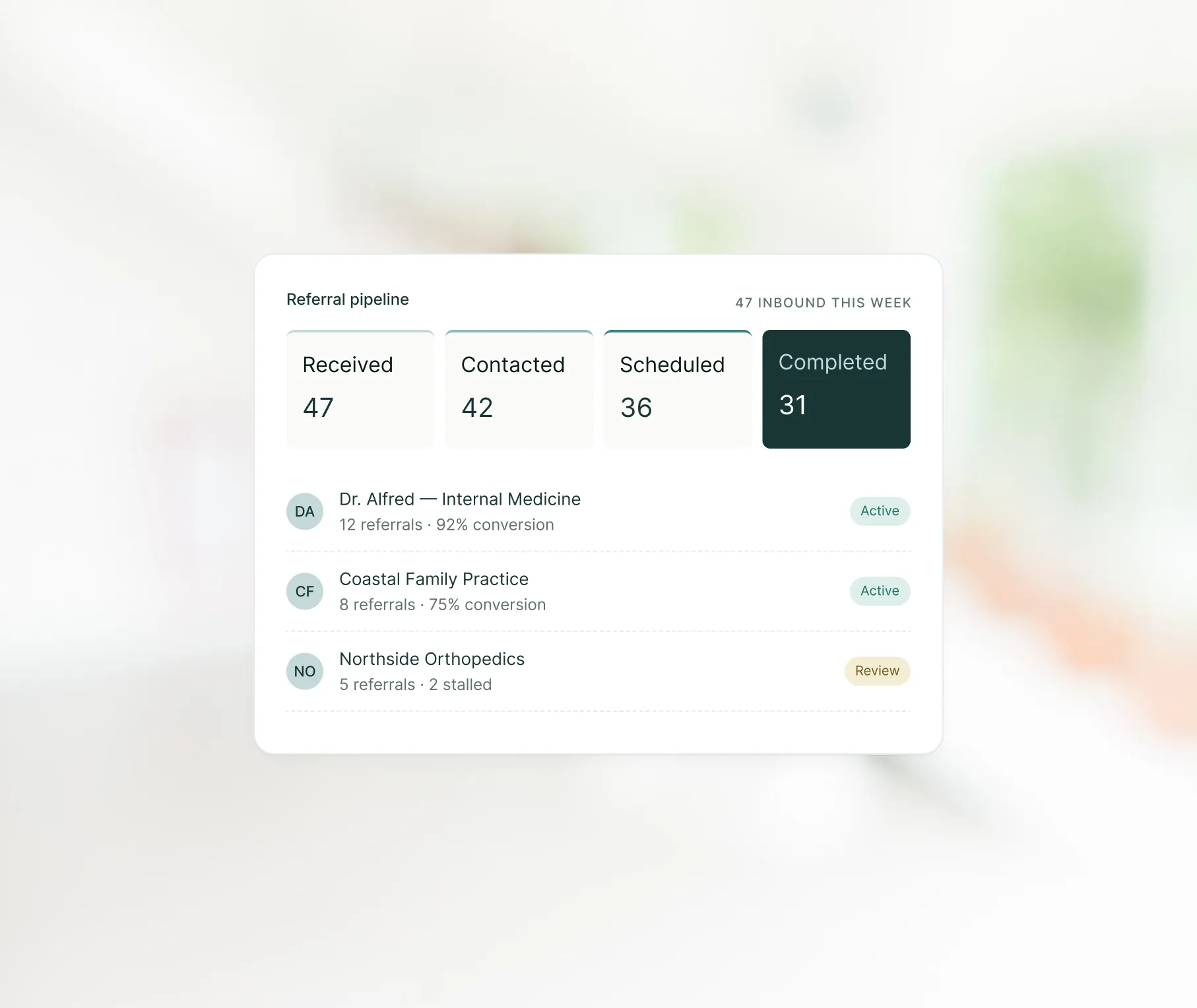
Referral and partner management teams can simplify referral management, improve collaboration with external providers, and maintain visibility across referral workflows.
Key benefits
Some generic CRMs serve sales pipelines, not patient pipelines.
Bending them to fit healthcare intake, referral tracking, and HIPAA requirements takes months of configuration, outside developers, and a budget most practices don’t have.
By the time the system is ready, half the team has found workarounds and stopped using it altogether. LeadSquared starts where those platforms stop.
Here’s what that looks like side-by-side:

LeadSquared is trusted by clinics, health networks, and specialty practices across the United States.
Here’s what operations and clinical leadership teams have to say.

LeadSquared’s implementation has transformed our operations completely, surpassing all other platforms we’ve used at Tandem. Our responsiveness surged by over 40%, enabling us to efficiently handle over twice the volume of leads we used to before.

The LeadSquared solution enabled us to nearly double our referral coordinator productivity while institutionalizing our one-day referral responsiveness expectations for our fertility and OB-GYN industry partners.

If I can dream it, your team can build it. The team is always listening, is responsive and is able to adapt quickly – and that’s top tier.
A general CRM focuses on sales pipelines and revenue opportunities. A healthcare CRM is designed to manage patient inquiries, referrals, intake stages, and appointment tracking.
It also supports healthcare-specific needs such as HIPAA compliance, EHR connectivity, and clinical workflow adoption.
LeadSquared supports HIPAA-aligned operations through role-based access controls, encrypted data storage, and audit logs that track system activity.
Only authorized team members can access patient information. Organizations should still review their configuration with internal compliance teams.
Yes, and for many specialty practices, this is where the impact is most immediate. Referrals from physicians and partner networks often arrive through multiple channels at once, including phone, fax, email, and web forms.
LeadSquared captures all of them in one place, routes each referral to the right coordinator automatically, and triggers follow-up sequences so no referral sits unattended. Posterity Health used LeadSquared to achieve a 40% increase in referral conversions.
Yes. Multi-location organizations can manage all sites from a single platform while keeping teams and workflows separated where needed. Managers gain network-wide visibility while individual locations only access the data relevant to them.
LeadSquared works with your team to map existing intake and referral workflows before configuration begins. Many healthcare organizations begin using the platform within a few weeks, using pre-built healthcare workflows designed for administrative and clinical teams.
Many practices see improvements within the first few weeks once staff begin using features like automated reminders, structured inquiry tracking, and organized follow-ups. More complex results, such as improved no-show rates or higher referral conversion, tend to appear over several months as workflows stabilize and more data accumulates.
Yes. A healthcare CRM can log and track phone inquiries, route calls to the right staff members, and document outcomes, so no request is lost. Even practices that operate primarily by phone benefit from better follow-up tracking, reminders, and organized intake workflows.
They do. A CRM can separate or link locations, assign inquiries based on geography or provider availability, and centralize communication across branches. This helps ensure consistency in workflows and reduces confusion when patients move between locations or request specific providers.
Yes. Many use cases extend beyond clinical care. Billing teams can track follow-up on payment-related communication, call centers can manage inquiry queues more efficiently, and administrative staff can use the CRM to coordinate scheduling, patient updates, and recurring tasks.
Very much so. Practices that depend on referrals often struggle with tracking where referrals come from, whether they were completed, and which referrers need updates. A CRM makes this process visible and organized, reducing lost referrals and strengthening relationships with referring providers.
A good healthcare CRM provides automation that genuinely reduces administrative work. Examples include automated reminders, repeated follow-up sequences, task assignment, template-based responses, and integration that eliminates duplicate data entry. It goes beyond storing information and actively supports staff throughout the day.
Indirectly, yes. Faster response times, fewer missed follow-ups, clearer communication, easier scheduling, and more organized workflows all contribute to a smoother patient experience. A CRM improves the operational side of care, which patients experience as shorter wait times and more consistent communication.
Healthcare teams often face a few common hurdles when rolling out a CRM. Staff resistance is one of the first, which can be reduced by involving team members early and offering clear training that shows how the system supports their day-to-day work. Another challenge is poor data quality. Fragmented or outdated records should be cleaned before import, so the CRM starts with accurate information.
Some organizations also run into compatibility issues with older scheduling, billing, or EHR systems. Choosing a CRM that supports the necessary integrations helps avoid this problem. It is also easy to over-customize the system in the beginning, which can make it overly complex. Starting with essential workflows and expanding gradually works better. Finally, CRMs need ongoing support. Without regular maintenance and check-ins, usage can drop and data may become unreliable. Addressing these areas early makes adoption smoother and more sustainable.
Typically, no. Clinical information belongs in the EHR or EMR. A healthcare CRM focuses on communication, scheduling, intake, tracking patient requests, referrals, and administrative workflows. Some CRMs display limited clinical data through integrations, but they are not designed to replace clinical systems.
Practices can usually export data such as contacts, inquiry logs, communication history, and referral tracking. The ease of migration depends on how the CRM structures data. Choosing a system with clear export options and standardized data formats makes future transitions smoother.
Key areas to evaluate when choosing a healthcare CRM include workflow fit, system integration, usability, compliance, and total cost of ownership. It is also important to validate the solution in real-world scenarios and ensure it can support the way your teams actually work. Here are some important points to consider:
Patient coordinators did not get into healthcare to chase unanswered emails and manually log every phone call. LeadSquared handles the follow-up, the routing, and the tracking so your team can spend their time on the work that actually requires a human.